Disclosure: This post contains affiliate links. I may earn a small commission at no extra cost to you if you purchase through these links.
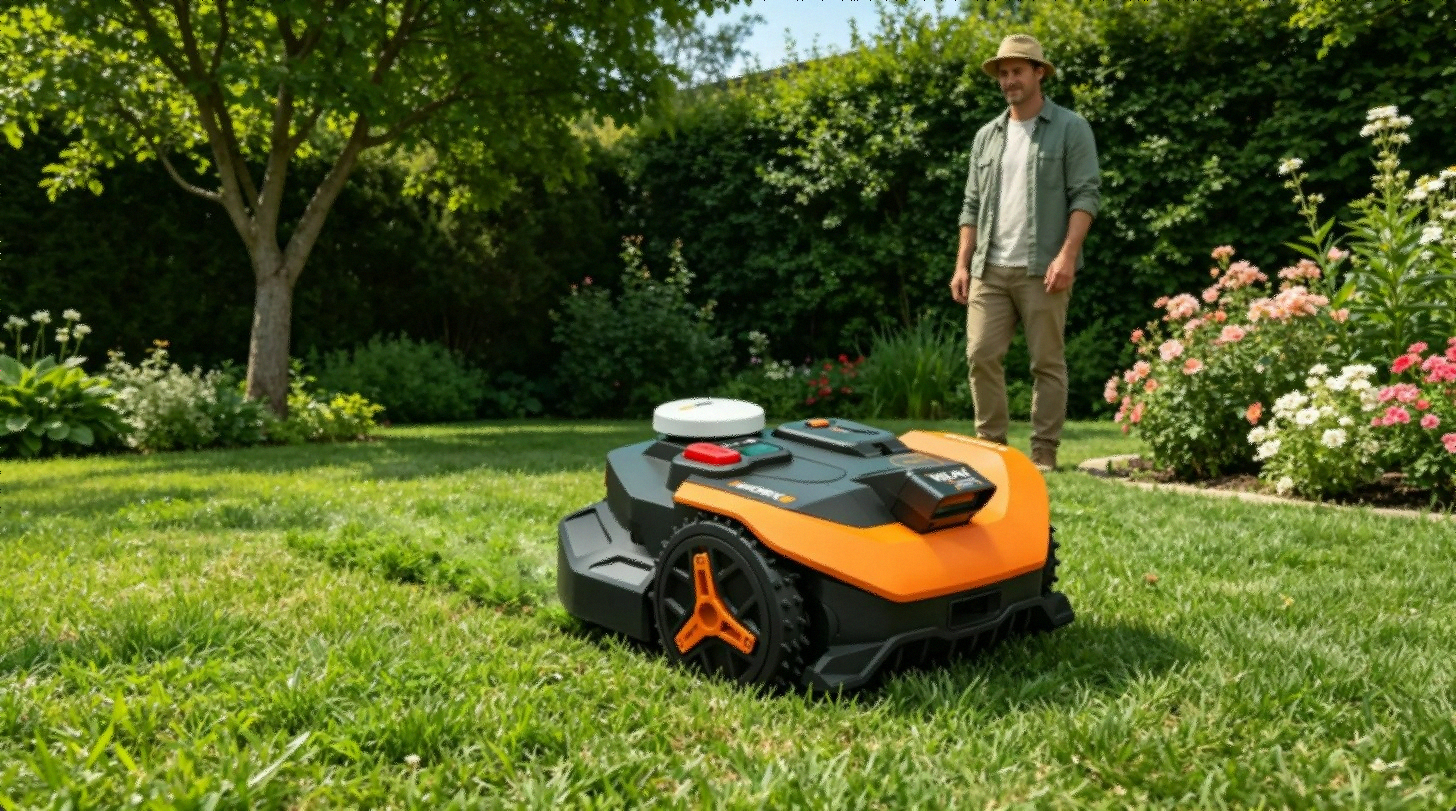
$1,292 for a lawn mower felt absurd to me when I first saw the listing. Then I added up what I’d handed my landscaping crew that year — $200 a month, every month, rain or not — and the math stopped being funny.
Three months of actually running this thing later, here’s what’s true, what’s annoying, and the one setup step nobody puts in the manual.
What Makes the WR320 Different
Most robot mowers still want you to bury a perimeter wire around the whole yard before they’ll move an inch. Anyone who’s done that knows it eats a weekend.
The WR320 doesn’t ask for any of it. No wire, no buried loop, no antenna bolted to your roof. It leans on two systems instead:
RTK Cloud Navigation pulls commercial-grade GPS accuracy straight from the cloud — centimeter-level positioning that used to require survey gear costing more than a car. WORX bakes the subscription into the unit, so there’s no extra fee waiting for you later.
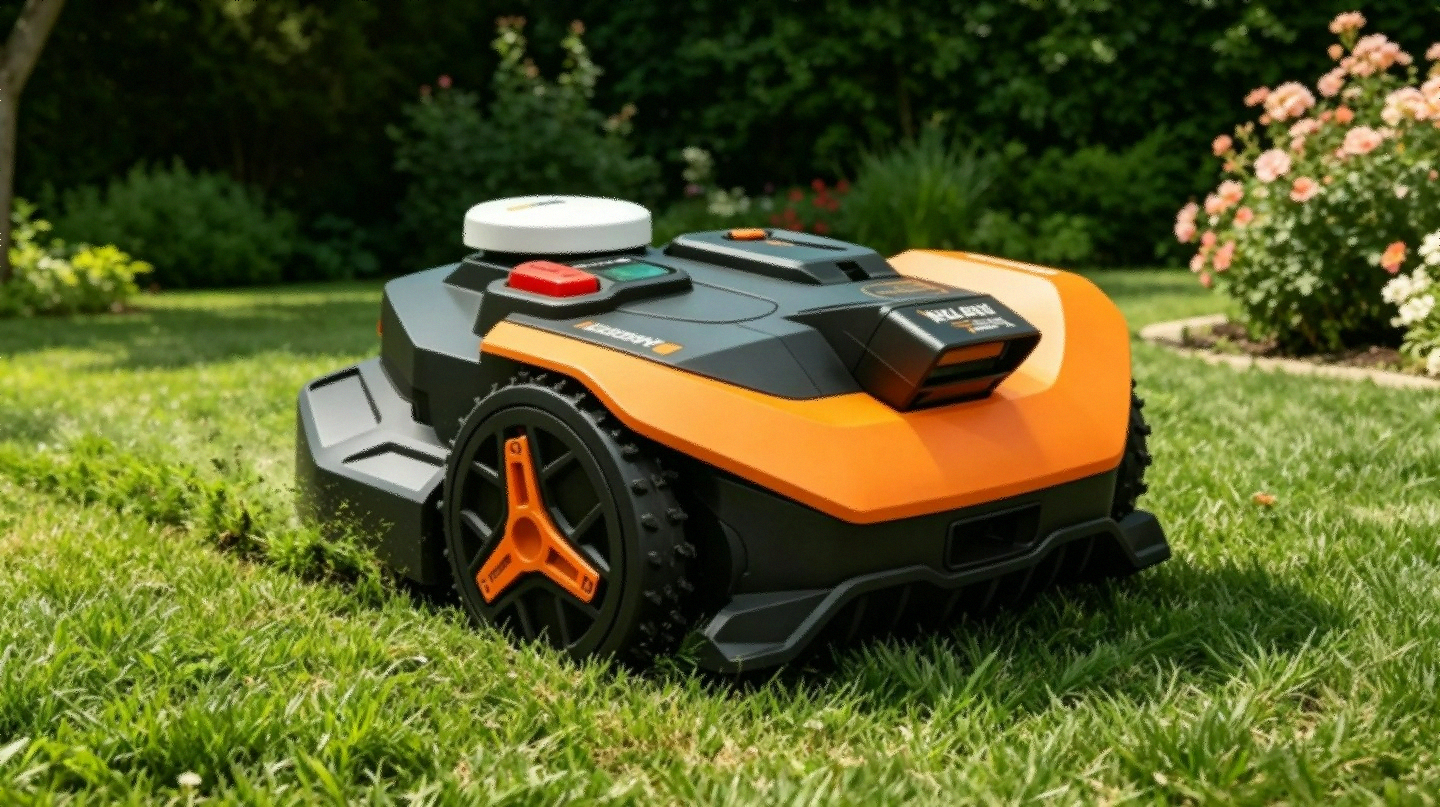
Vision AI with V-SLAM is what that dome on top is actually for. It’s a stereo 3D camera system trained on something like 20 million lawn images, and when RTK signal gets shaky — under trees, near a wall, deep shade — V-SLAM sensor fusion picks up the slack. The chip runs at 10 trillion operations per second, a number that means nothing until you watch it glide around a flagpole without flinching.
Cheaper wire-free mowers that lean on RTK alone tend to fall apart under tree cover. This combo doesn’t.
The Auto-Mapping Run
You set the charging pad, power the mower on, and let it wander your yard on its own. It builds the boundary map, tags obstacles, and saves all of it to the app.
If your yard has clean edges — fence line, curb, driveway — you probably won’t even touch the boundary tape in the box. The Vision AI just reads the edge.
If your lawn runs into the neighbor’s, or there’s a section you want it to skip, lay the tape down for that first mapping pass only. Pull it up once the map’s saved.
A reviewer going by MikeV83 said the auto-mapping beat his expectations — it went out, charted the whole property on its own, no hand-holding. He also pointed out you can pause the mapping mid-run and manually steer the mower through the app to draw zone lines yourself, which is handy if you want to split one big lawn into separate mowing zones.
Pro Tip: Switch your phone to your 2.4 GHz network before you touch anything. Not 5 GHz. Not 6 GHz. 2.4 only. This one step quietly fixes most of the connectivity complaints scattered through the reviews.
RTK vs LiDAR, Quickly
If you’ve gone down the rabbit hole comparing LiDAR vs RTK navigation, here’s the short version for this mower: RTK shines in open sky, and V-SLAM covers for it where the sky disappears. LiDAR handles shade and clutter through a different method entirely. Neither wins outright — it comes down to your yard.
WR320 Specs
| Spec | WR320 Detail |
|---|---|
| Coverage Area | Up to 1/2 acre |
| Drive System | Two-Wheel Drive |
| Cutting Width | 8.7 inches |
| Cutting Height Range | 1.57” to 3.54” |
| Battery Runtime | 75 minutes |
| Slope Handling | Up to 30% gradient |
| Connectivity | WiFi + Bluetooth + RadioLink |
| Navigation | RTK Cloud + Vision AI + V-SLAM |
| Perimeter Wire | Not required |
| Auto Return & Resume | Yes |
| App Control | Yes (iOS and Android) |
| Weight | 44.5 lbs |
| Price | $1,292.77 |
RadioLink deserves its own mention. A lot of robot mowers choke when they hit the far corner of a yard and lose WiFi — they basically freeze up confused. RadioLink is a separate communication layer between mower and base that stretches past normal WiFi range. On a yard pushing close to half an acre, that matters more than it sounds like it should.
Where It Actually Shines
The Edges Are Genuinely Clean
Most robot mowers leave a strip of untouched grass along fences, because the blade sits inset from the body. The WR320’s Vision AI tells the difference between a “ridable” edge — say, where lawn meets driveway — and a fixed border it has to respect, like a fence.
There’s an optional Cut-to-Zero module that adds an offset blade and trims right to the line. Skip it, and the built-in edge-following is still noticeably tighter than what you get from competitors at this price.
One owner mentioned they used to spend every weekend trimming the fence line by hand. After the WR320, there was barely anything left to clean up. The striping it leaves behind doesn’t hurt either — makes the lawn look like someone hired a crew.
It Actually Reads the Yard See Today’s Deal on Amazon
There’s a meaningful gap between a mower that bumps into something and stops, and one that recognizes an object and steers around it before contact. The WR320 does the second thing.
Someone mentioned their dog scatters toys across the yard constantly, and the mower routes around every one of them instead of stalling out or rolling over them. That’s the neural network doing what it’s supposed to — flagging things that don’t belong in the path.
Pattern Options
Small detail, bigger payoff than expected. Through the app you can pick parallel stripes, checkerboard, diamond, or a natural scatter pattern, and switch any time you want.
If you’ve ever wanted that stadium-lawn look without doing the work yourself, this is how you get it.
Shade Doesn’t Trip It Up
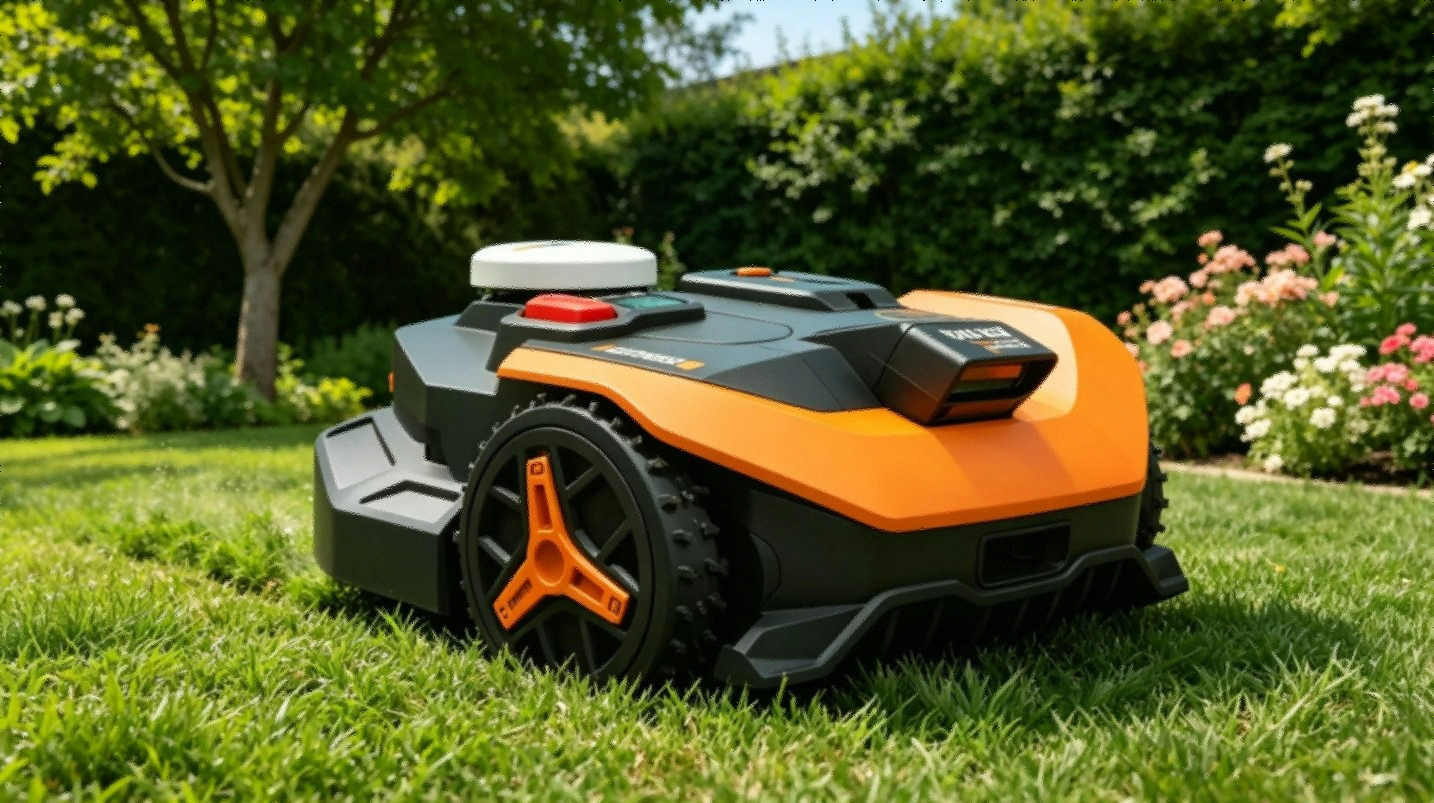
V-SLAM is the reason this thing handles tree canopy better than RTK-only competitors. When the sky view gets blocked, visual navigation takes over without you doing anything. No setting to flip, no mode to choose.
What Actually Goes Wrong
The 1-star reviews on Amazon aren’t all from people who skipped the manual. Some of these complaints are real.
WiFi Is the Big One
Across multiple reviews, this is complaint number one, and it’s a fair one. The WR320 needs a clean 2.4 GHz connection to function properly. Plenty of mesh routers broadcast a single SSID across both bands, which means there’s no dedicated 2.4 GHz network for the mower to grab onto — and that’s where the trouble starts.
One buyer’s fix: a cheap dedicated 2.4 GHz router, about $15, plugged into the mesh setup. Every connection issue vanished after that. Fifteen dollars is cheap, sure, but it’s still a fix you shouldn’t have to go find yourself.
The firmware also wants updating right out of the box, and that update goes smoother off the charging pad — set the mower a foot away and run it manually.
Watch Out: Don’t run the firmware update while the mower sits on the charging pad. Several users found it far more reliable just off to the side.
The Instructions Aren’t Great
More than one reviewer flagged the included instructions as thin. One person said the only reason setup worked at all was YouTube — the printed guide didn’t cut it. WORX clearly has a learning curve here they haven’t closed with documentation.
If troubleshooting tech isn’t your thing, watch a setup video or two before you start. There’s a decent community that’s already documented the process.
The Password Nobody Tells You About
First power-on, you need to press Enter four times to punch in the default password: 0-0-0-0. This step lives outside the app’s guided setup flow entirely. Skip it, and Bluetooth and WiFi simply won’t connect. One reviewer burned twenty minutes on this before figuring it out.
So now you know. Four presses. 0-0-0-0. Sticky note on the box, maybe.
Low Light Throws Errors
The Vision AI needs real light to work. Try running it in deep shade, under a deck, or on an overcast day, and you’ll likely hit “low light” errors that stop it cold. One reviewer put her charging station under a deck, assuming that was fine — it wasn’t, and the errors didn’t stop until she moved the base into direct sun.
WR320 vs the Competition
| Feature | WORX WR320 | Segway Navimow i215 | Mammotion LUBA 3 AWD |
|---|---|---|---|
| Price | $1,292 | $1,599 | $2,799 |
| Coverage | 1/2 acre | 1/2 acre | 0.75 acre |
| Drive | 2WD | 4WD | 4WD |
| Navigation | RTK Cloud + Vision AI | LiDAR | RTK + Vision |
| Perimeter Wire | No | No | No |
| Slope | 30% | Higher | 75% |
| App Control | Yes | Yes | Yes |
The Segway Navimow i215 at $1,599 is the real alternative if LiDAR navigation matters to you — and the smaller Navimow i105N has held up well under trees in smaller yards. The LUBA 3 AWD makes sense if you’re dealing with real slopes or a bigger property.
For a flat to gently sloped half-acre with the usual obstacles, the WR320 gets the job done for less money than either.
The 2026 robot lawn mower buying guide is worth a look if you’re still torn.
Who Should Actually Buy This
Buy it if your yard is around half an acre or under, the terrain’s reasonable, and you’re fine doing a small WiFi fix during setup. It’s the cheapest entry into no-wire RTK plus AI navigation, the edge cutting is genuinely good, and if you’re replacing a paid lawn service, the math works in your favor fast.
Skip it if your slopes go past 30%, your WiFi is weak at the edges of your property (fix that first, regardless of mower), or you want zero setup friction out of the box. And if your yard’s bigger than half an acre, look at the WR340 instead — $1,852, covers up to a full acre.
The Rest of the WORX Lineup
| Model | Coverage | Drive | Price |
|---|---|---|---|
| WR310 | 1/4 acre | 2WD | $983 |
| WR320 | 1/2 acre | 2WD | $1,292 |
| WR340 | 1 acre | 2WD | $1,852 |
| WR34X | 1/4 acre | 4WD | Higher |
If your lawn is genuinely under a quarter acre, the WR310 at $983 is worth a look. The underlying tech is identical across the lineup — you’re paying for coverage, not capability.
What 51 Amazon Reviews Actually Say See Today’s Deal on Amazon
As of June 2026, the breakdown across 51 verified reviews: 59% five-star, 14% four-star, 0% three-star, 3% two-star, 24% one-star.
That one-star chunk is almost entirely connectivity and setup complaints, not broken hardware. People who fixed the 2.4 GHz issue and updated the firmware landed solidly in the happy column afterward.
What comes up again and again on the positive side: clean cuts, sharp obstacle avoidance, edge-following that beats expectations. One reviewer described it as handling lawn care for their nonprofit’s facility without needing manual labor anymore.
What comes up on the negative side: rough initial setup, weak printed instructions, that WiFi dependency.
FAQ
Does it need perimeter wire? No. Vision AI and RTK Cloud handle the boundaries on their own. The included boundary tape is only for the initial mapping pass if your yard’s edges are unclear, and it comes up afterward.
What happens if the battery runs out mid-mow? It heads back to the charging station, recharges, and picks up exactly where it left off.
Does it handle rain? Yes, it’s weather-resistant and built for outdoor use. Some people keep the charging station under cover — just make sure there’s still enough light for the Vision AI sensors to work.
What about shaded yards? Better than most RTK-only mowers, thanks to V-SLAM stepping in when sky visibility drops. The charging station itself still needs to sit somewhere well-lit, though.
How much maintenance does it need? Blades every 2-3 months depending on use — small replaceable segments on a disc, not a full blade swap. Rinse the underside after mowing to keep the sensors and wheels clear.
So, Worth $1,292?
If you’re paying $150-200 a month for lawn service, this pays for itself inside a year. If you’re the one pushing the mower every weekend, you’re buying your Saturdays back instead.
The WiFi setup hassle is real, but it’s fixable. The navigation works the way it’s supposed to. The edge cutting is the best I’ve come across at this price point. Once you’re past the setup hump, the app and multi-zone control hold up fine.
It’s not the cheapest mower out there, and it’s not the one for serious slopes. But on a typical half-acre with normal obstacles and decent WiFi, it does what it says it’ll do.
Check current price and availability for the WORX Landroid Vision WR320 on Amazon
Pair it with the WORX Robotic Lawn Mower Garage ($149.99) if your charging spot doesn’t already have weather cover — bundle runs $1,442 total.
Related reading: