You know that feeling when you spend a Saturday morning digging trenches around your entire yard just to lay boundary wire for a robot mower, only to have the damn thing chew through it three weeks later? Yeah. I’ve been there. Twice. So when Husqvarna finally brought their commercial-grade EPOS satellite navigation down to the residential lineup with the 420 iQ, I was skeptical but hopeful. No wire. No stakes. No hours of manual labor before the mower even does its first pass.
I’ve now run this thing through an entire season on my yard — roughly an acre of mixed terrain with some genuinely stupid slopes near the back treeline. Here’s what I actually think after 40+ mowing cycles, two firmware updates, and one embarrassing incident involving a garden hose.
The Setup That Made Me Question Everything
The box shows up and it’s big. Not ‘I need a friend’ big, but close. Inside you’ve got the mower, a charging station, and a small reference station that looks like a miniature satellite dish on a tripod. That reference station is the secret sauce — it’s what makes the whole wire-free thing work.
Here’s the deal with EPOS: it’s not GPS like your phone. It’s a local positioning system that uses the reference station to correct satellite signals with centimeter-level accuracy. The mower knows where it is within about 2-3 centimeters. That’s tighter than most people’s mowing tolerance, and it’s the difference between a robot that mows in neat, overlapping stripes and one that leaves random uncut patches because its positioning drifts.
Setup took me about 40 minutes total. You place the reference station somewhere with a clear view of the sky — I mounted mine on the side of my shed — plug the charging station in, pair the mower to the app, and walk the perimeter of your lawn with your phone to map out the boundaries. No shovels. No cable. No swearing at buried wires that snapped during winter frost heave.
The app walks you through it step by step. You literally walk your yard with your phone, dropping virtual waypoints at corners and along edges. It took me two laps to get it right because the first time I missed a corner near the driveway. The app let me edit the boundary without remapping the whole thing, which was nice. The second time, I had it dialed in and the mower was cutting grass within the hour.
What It’s Like When It’s Actually Mowing
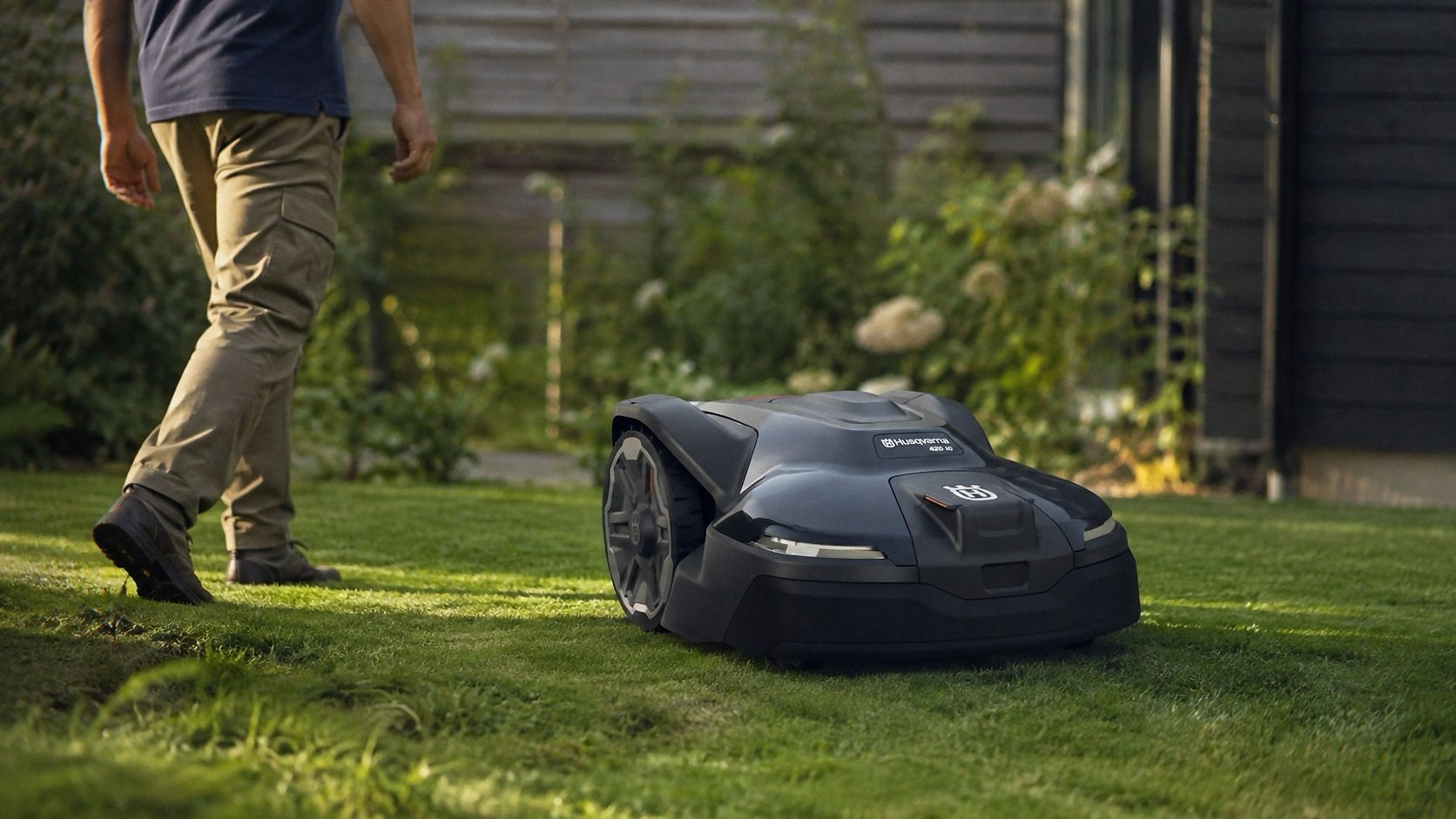
The 420 iQ is rated for up to 1 acre and handles slopes up to 45%. That spec is real. I’ve got a section near the back that drops maybe 30 degrees down toward a drainage ditch, and this thing climbs it without drama. The wheels have serious grip — they’re chunky, knobby, and the mower’s low center of gravity keeps it planted. I watched it navigate a wet patch after a rainstorm and it didn’t slip once.
Mowing pattern is where EPOS really flexes. The mower creates its own path and adjusts based on grass growth and time since last cut. It’s not just random bouncing like older robot mowers. It does proper rows, then shifts slightly on the next pass so it doesn’t wear ruts into the same lines. My lawn has that striped, manicured look now that I used to only get from a reel mower and too much free time.
Cutting height goes from about 2 inches up to 3.6 inches. I run mine at 2.5 during the summer and bump it to 3 in the heat of July so the grass doesn’t stress out. The cutting disc spins at a high rate and the blade is sharp out of the box. It handles regular fescue and bluegrass fine, and it mulches clippings into almost nothing. You won’t see clumps unless you let the grass get away from you, and even then it’ll chew through it on the next cycle if you lower the deck.
The App: Better Than I Expected, Still Not Perfect See Today’s Deal on Amazon
The Husqvarna Automower Connect app is genuinely useful, which surprised me because lawn equipment apps are usually garbage. You can set up virtual zones right from your phone — draw a box around the flower beds, mark the kid’s playset area as off-limits, tell it to stay away from the neighbor’s prized rose bushes. No physical barriers needed. The mower respects those zones with the same centimeter accuracy as everything else.
Scheduling is straightforward. I have it mow every other day at 7 AM during the week and once on Saturday. It’s quiet enough that it doesn’t wake anyone up — it’s noticeably quieter than any gas mower and even quieter than most cordless push mowers. My neighbor’s dog doesn’t even bark at it anymore.
The app also shows you battery level, mowing history, and which zones it’s covered. It’ll send a notification if it gets stuck or if the blade needs attention. These are the small things that make a $3,000 purchase feel justified, because you’re not out there babysitting it.
The frustrating part: the app occasionally loses connection to the reference station. Not the mower — the reference station. A firmware update a few weeks ago fixed most of it, but there were two separate mornings where I woke up to a notification that the mower couldn’t start because it lost RTK signal. It’s not a dealbreaker, but it’s worth knowing that this system depends on a piece of hardware sitting outside in your yard. If that station dies or gets knocked over, the mower won’t run. I’ve got mine zip-tied to a fence post and it’s been fine since.
Battery and Charging Reality
Husqvarna claims the mower covers up to 1 acre per charge cycle, but that depends on your terrain and how thick the grass is. In practice, I get about 90 minutes of continuous mowing on my yard before it heads back to charge. That covers roughly 0.4 acres per cycle on my property because of the slopes and how much time it spends navigating around obstacles. The mower auto-returns to the charging dock when it’s low, charges for about an hour, then goes back out to finish. It’ll keep doing that until the whole yard is done.
If you’ve got a flat, open half-acre, you might get close to the full acre in one cycle. But if you’re on uneven ground with trees and flower beds, plan on two to three cycles for the full spread. The scheduling feature handles this automatically — it just takes longer to finish. Not a huge deal, but don’t expect a single-cycle one-acre finish unless your yard is a golf course fairway.
The Slopes: Where This Thing Earns Its Keep See Today’s Deal on Amazon
I mentioned the 45% slope rating, and I want to be clear about what that means. The 420 iQ will climb and mow slopes up to 45% — that’s roughly a 24-degree angle. It’s steep enough that you wouldn’t want to push a walk-behind mower up it, and most robot mowers flat-out refuse to go anywhere near it.
I tested mine on the steepest section of my yard — the one that used to make me dread mowing day because I had to use a trimmer and a prayer. The mower approached it, paused for a second like it was thinking, then just went up. No hesitation, no spinning wheels, no ‘this is too steep, I’m out.’ It’s the single most impressive thing this machine does, and it’s the reason I’d recommend it over cheaper alternatives that claim slope capability but chicken out on anything over 20%.
That said, if you’ve got anything steeper than 45%, you’re out of luck. This isn’t a climbing goat. It’s a lawn mower with good traction. For anything genuinely vertical, you’re still looking at a string trimmer and a good pair of gloves.
What It Costs to Own
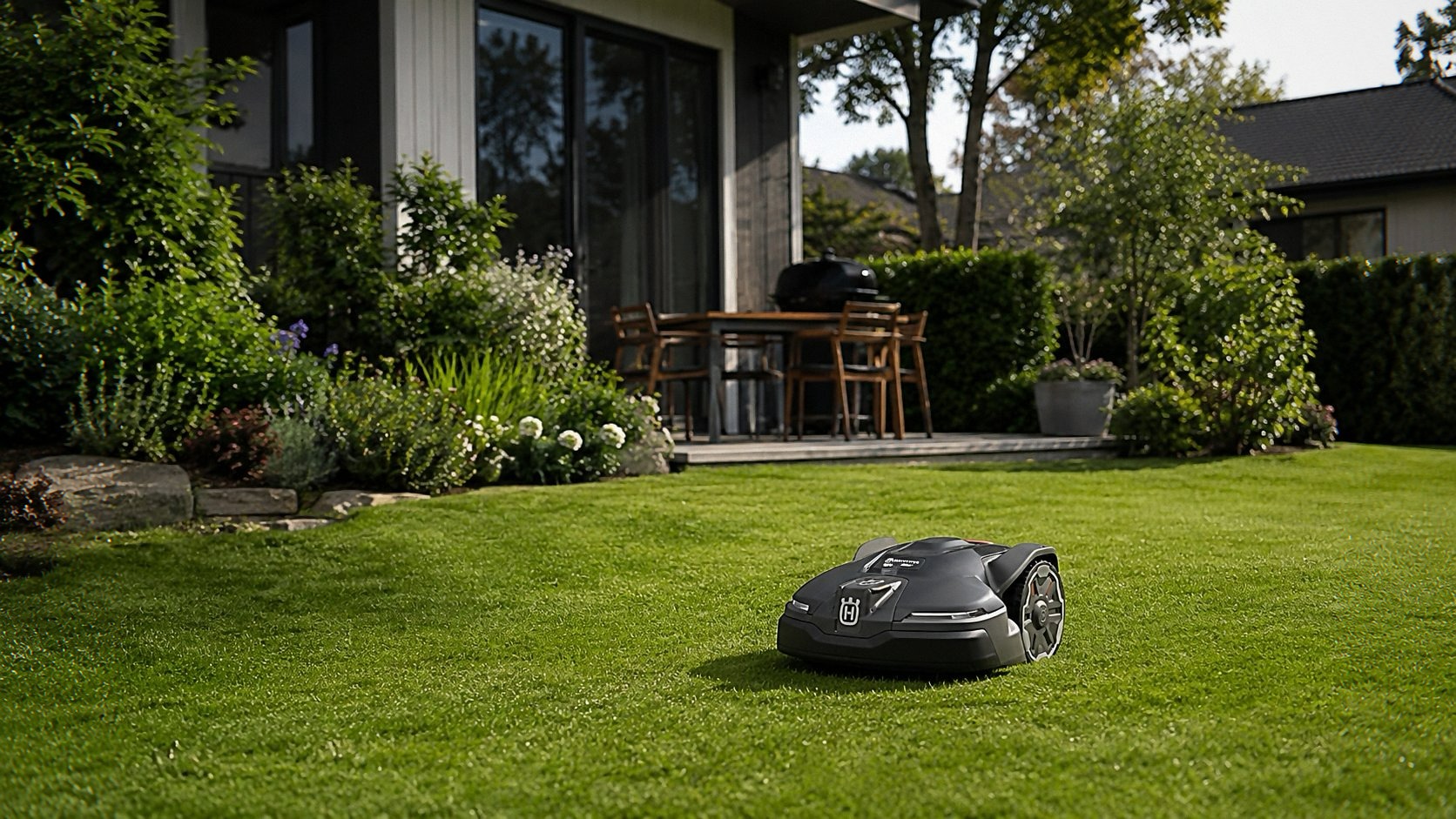
At $2,999.99, the 420 iQ is not cheap. It’s priced right in the middle of the premium robot mower market — more than the entry-level Husqvarna models, less than the commercial units. You’re paying for the EPOS system, the slope capability, and the fact that you’ll never buy boundary wire again.
Warranty is four years, which is solid for this category. Husqvarna has been building these things since the mid-90s, and they’ve got the support network to back it up. I had a minor issue with the blade disc seating after a particularly rocky week, and their customer service had me sorted out with a replacement part in about five days.
Blade maintenance is minimal. The cutting disc holds three small blades that are cheap to replace. I swap them out every six to eight weeks depending on how much the yard gets used. It takes about two minutes and doesn’t require any tools beyond a screwdriver. Compare that to sharpening a reel mower or replacing a gas mower blade, and it’s a massive time saver.
The Comparison Game
I’ve tested the Mammotion LUBA 3 AWD 3000H and the Segway Navimow X430, and they’re both solid alternatives. The Mammotion has even better slope handling — that thing will climb almost anything — but its app is clunkier and the build quality doesn’t feel as premium. The Segway is quieter and has a nifty zero-turn feature, but it’s also more expensive and doesn’t have the same track record for reliability.
Where the Husqvarna wins is in the details. The app is better. The reference station setup is more robust than a Wi-Fi-based system. And the mowing pattern is genuinely smarter — it’s not just bouncing around randomly like a Roomba for your lawn. It’s the difference between a tool and a toy.
If you’re comparing against the Husqvarna 410iQ, the 420 iQ is worth the extra money if you’ve got more than half an acre or any serious slopes. The 410iQ will cover a standard suburban lot fine, but the 420 iQ has more clearance, better traction, and a longer range. For my yard, the 420 was the right call.
The Honest Drawbacks
The app connection issue I mentioned earlier is the biggest flaw. It’s not constant — maybe once a month — but when it happens, it’s annoying because the mower just sits there until you notice the notification. There’s no way to override it from the app; you have to physically check the reference station and make sure it’s still powered and has a clear view of the sky.
The mower is also not great at navigating tight, cluttered spaces. It’ll handle trees and flower beds fine, but if you’ve got a narrow side yard with a fence on one side and a shed on the other, it might struggle. The virtual boundary system helps, but there’s a minimum clearance it needs to turn around. I had to widen one of my virtual zones near the gate because the mower kept getting stuck trying to U-turn in a 4-foot gap.
And it’s not cheap to fix if something breaks. The blade disc is a proprietary part, and the main board is pricey if you have electrical issues after the warranty expires. This is true of all robot mowers, but it’s worth budgeting for.
Who Should Buy This See Today’s Deal on Amazon
If you’ve got between a quarter-acre and an acre of grass, slopes under 45%, and you’re tired of spending your weekends pushing a mower around, this is the one. It’s the closest thing to ‘set it and forget it’ I’ve found in the robot mower world. The wire-free installation alone saves you a full afternoon of work, and the EPOS navigation means it actually mows the whole yard instead of missing random patches.
If you’ve got a flat, tiny lawn and a tight budget, get something cheaper. The WORX cordless push mower is a fraction of the price and will handle a quarter-acre fine if you don’t mind pushing. But if you’re stepping up to a serious robot mower, the 420 iQ is the benchmark.
If you pick one up through the links here, I might get a small cut — doesn’t cost you extra and it helps keep the lights on.
One last thing: the reference station needs a clear view of the sky. I mounted mine on a fence post and it’s been solid, but if you live in a heavily wooded area or have tall structures blocking the sky, you might have issues. Test the placement before you commit to a spot — you can move it, but it’s easier to get it right the first time.
The 420 iQ isn’t perfect. It’s pricey, the app occasionally glitches, and it won’t handle every yard layout. But for my money, it’s the best wire-free robot mower I’ve used, and it’s the first one that’s made me forget I even own a lawn mower.