You know that feeling when you’re staring at a half-acre yard with a 45-degree slope and you’re doing the math on your back and knees for the next five years? Yeah. That’s where I was last spring. The slope behind my garage is brutal, the front lawn has a weird dogleg that makes string trimming a religious experience, and my old gas mower was one good yank away from being thrown into a ravine. I’d been eyeing robot mowers for a while, but most of them required running a perimeter wire. Which means digging. Which means I’ll die before I do that. So when I saw the Husqvarna 410iQ with EPOS satellite navigation and zero wire requirements, I had to try it. Here’s the honest breakdown after a full season of use.
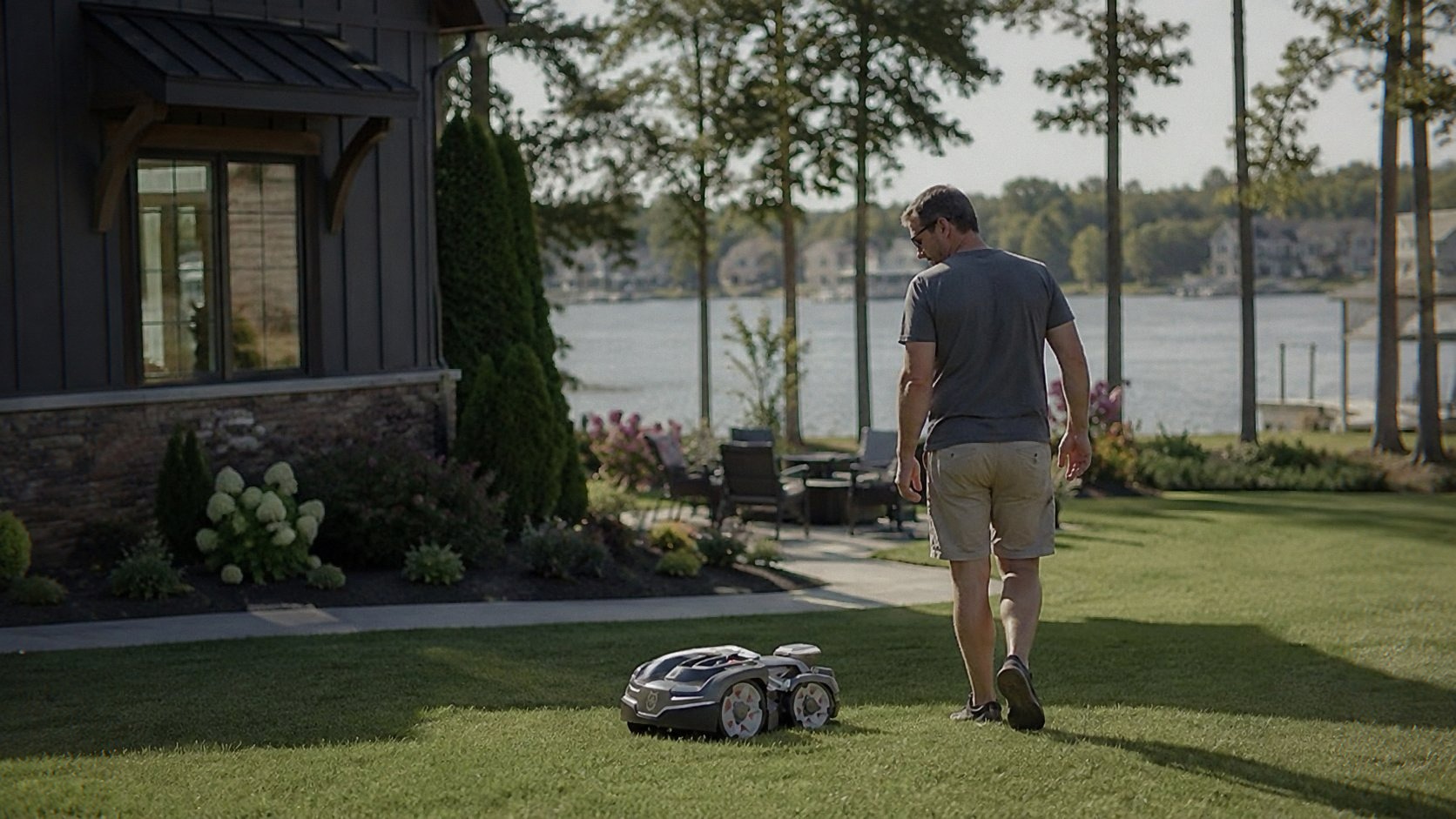
The Wire-Free Thing Is a Bigger Deal Than You Think
Look, I get why perimeter wires exist. They’re cheap, they’re reliable, and they’ve been the standard for a decade. But they’re also a pain in the ass to install. You either bury them or pin them, and either way you’re spending a weekend crawling around your yard. And when a wire breaks three months later because a gopher or a shovel or just the earth itself decides to eat it, you get to play the fun game of finding the break with a radio signal detector.
The 410iQ doesn’t do any of that. It uses EPOS — Husqvarna’s satellite positioning system — to figure out where it is. You set up the boundaries in the app by walking the perimeter with your phone, marking points, and telling the mower what’s lawn and what’s not. No wires. No digging. No weekend wasted. I had the whole thing configured in about forty minutes, and that included the time I spent confused about the phone app because I’m not great with new tech.
But here’s the thing that actually matters: when you don’t have a wire, you can move the boundaries anytime you want. My neighbor’s kid decided to build a small dirt jump in the corner of the yard last month, and I just opened the app, pulled the boundary in a few feet, and done. No re-burying anything. No frustration. That flexibility is the kind of feature you don’t appreciate until you need it.
Slope Handling: 45% Is Not Marketing BS
I’m skeptical of slope claims. Every robot mower says it handles slopes until it actually encounters one and decides to throw a tantrum. The 410iQ claims 45%. My back slope is steep enough that I was genuinely nervous the first time I watched it head up there. I was fully prepared to run out and catch it like a falling toddler.
It didn’t slip. It didn’t spin its wheels. It just went up, mowed, and came back down like it was level ground. The difference here is that Husqvarna builds these things with the wheelbase and center of gravity designed for actual terrain, not just a test bench. The rear-wheel drive has enough torque to climb, and the weight distribution keeps the front end planted. I’ve had it out in wet grass too — not the ideal time to mow, but sometimes the schedule says otherwise — and it held its line. The only time I saw any wheel slip was on a patch of moss that’s basically a slip-and-slide even for my hiking boots.
That said, don’t push it. If you have a lawn that’s literally a cliff face, this isn’t the tool. But for realistic suburban slopes that look scary but are actually just annoying, it handles them without complaint.
The App: Actually Thought Out
I’ve used robot mower apps that feel like they were designed by an intern who’d never touched grass. The Husqvarna Automower Connect app is better than most, and for the 410iQ it’s the only way to set up the boundaries and zones. The setup wizard walks you through the process, shows you a map of your yard as you mark points, and lets you name different areas. I’ve got the front yard, back yard, and the weird strip between the driveway and the fence all as separate zones.
The scheduling is straightforward. You tell it when to mow, which zones to cover, and how often. I run mine every other day during the growing season, and it keeps the grass consistently short without me ever thinking about it. The app also shows battery level, mowing history, and alerts if the mower gets stuck or tipped. I’ve gotten two alerts this season: one when a branch fell and blocked its path, and one when my dog decided the mower was a chew toy and knocked it over. Both times, the app told me immediately, and I could go fix it from my phone.
The GPS tracking in the app is nice too. You can see where the mower has been, which zones it covered, and whether it missed anything. It’s not a feature I use daily, but when I’m wondering why a corner looks shaggy, it helps me figure out if the mower’s been skipping it.
Cutting Performance: It’s Not a Show Pony See Today’s Deal on Amazon
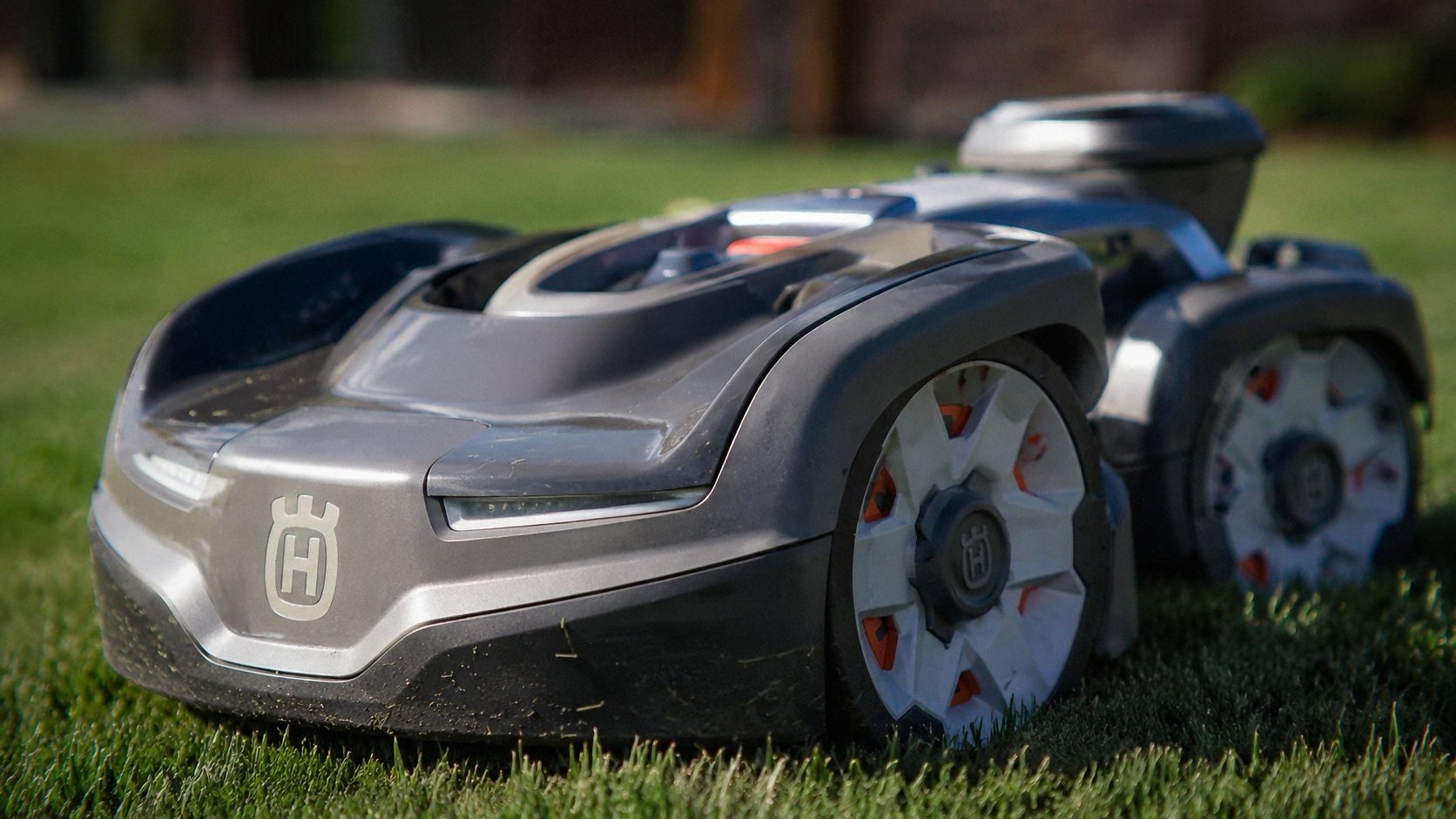
The 410iQ cuts with three pivoting blades under a disc, and the cutting height ranges from about 2 inches to 3.6 inches. That’s not a huge range compared to some push mowers, but for a robot mower it’s fine. I keep mine at about 2.8 inches during the summer to help the grass survive heat stress, and it looks decent. Not golf course perfect, but clean and even.
The key thing to understand about robot mowers is that they’re not designed to chop down a jungle. They maintain. If you let the grass get too tall — like, over six inches — the 410iQ will struggle, and you’ll get clumps and uneven cutting. The fix is simple: mow with something else first if you’ve let it go, then let the robot maintain from there. I’ve got a WORX Cordless Lawn Mower as backup for those first cuts of the season, and it handles the tall stuff fine. Then the Husqvarna takes over for the rest of the year.
The mulching is actually good. The blades are designed to chop clippings fine enough that they drop back into the lawn and decompose quickly. I haven’t bagged clippings all season, and the lawn looks fine. No thatch buildup, no dead spots from pile-ups. If you’re the type who likes a perfectly striped lawn, this isn’t your tool — but if you just want a green, healthy yard without spending your weekends pushing a mower, this delivers.
Battery Life and Charging
The 410iQ runs on a 18V battery system that’s shared with Husqvarna’s handheld tools. That’s a nice touch if you already own their gear — you can swap batteries in a pinch. Runtime is rated at about 75 minutes, and in my experience that’s accurate. It takes about an hour to mow my half acre, and it comes back to the charging station with about 20% left. That’s cutting it close, but it’s never actually run out on me mid-mow.
Charging takes about 75 minutes, which means it’s not going to be out all day on a single charge. If you have a bigger yard or want it to run continuously, you’d need to look at the bigger models. For half an acre, it’s fine. It does the whole yard in one session, then sits and charges until the next scheduled run.
The charging station is small and mounts to the ground with a few stakes. I put mine in a corner of the back yard near a power outlet, and it’s been fine. The mower finds it on its own using EPOS, which is honestly a little spooky the first time you watch it navigate back. It just drives straight to the dock like it’s got homing instincts.
The 3.8-Star Rating Bothers Me, But Here’s My Take
Look, I saw the 72 reviews on Amazon, and the 3.8 average gave me pause. But after reading through them, the pattern is pretty clear: most of the negative reviews are from people who either had installation issues (usually because they didn’t read the setup instructions for the app) or who expected this to mow like a traditional mower with a bag and roller stripes. It doesn’t do that. If you want a robot that just maintains, this is it. If you want a robotic show lawn, you’re looking at the wrong category.
There are also a few complaints about the app disconnecting or needing re-pairing. I’ve had one blip where the mower lost its GPS lock and paused for a few minutes, but it recovered on its own. The app reconnected without me doing anything. I also saw a couple of complaints about customer support being slow. I haven’t needed them, so I can’t verify, but I’d note that Husqvarna’s dealer network is solid if you buy locally.
The 4-year warranty is legit, and that’s part of why I pulled the trigger. Robot mowers are complex machines — motors, sensors, GPS modules, software. Something will eventually break. Having four years of coverage takes a lot of the risk out of a $2,400 purchase.
What It’s Like Living With It
After about three months, I stopped thinking about mowing entirely. That’s the real test. The 410iQ just does its thing. It comes out on schedule, does the yard, goes home. I hear it running sometimes when I’m on the deck, and it’s quiet enough that I can have a conversation without raising my voice. The sound is like a loud electric toothbrush — a low hum that fades into the background.
The only maintenance I’ve done is cleaning the blades and underside every few weeks. Grass clippings and dirt build up under there, and if you ignore it, you’ll get poor cutting and the mower will work harder than it needs to. Ten minutes with a brush and a hose, and it’s back to new. I also flip the blades over after a few months to use the other edge, since they’re designed to be reversible. That doubles the life before you need replacements.
One thing that surprised me: the GPS-based navigation handles narrow passages better than I expected. My yard has a gate between the front and back that’s only about three feet wide, and the mower goes through it without hesitation. It also handles obstacles like trees and flower beds by sensing them and adjusting its path. It’s not perfect — I’ve had it bump into a low-hanging branch once or twice — but it’s smart enough to learn and avoid the same spot next time.
The Price Question See Today’s Deal on Amazon
At $2,374.99, this is not an impulse buy. I get that. You could buy a decent push mower for a tenth of this. But you’re not paying for a mower. You’re paying for hours of your life back. Every weekend that I used to spend mowing, trimming, and sweating is now free. That’s worth real money.
Compare it to the Husqvarna 410iQ, which handles even steeper slopes and a larger area. That’s a serious competitor, and if you have a truly gnarly yard, it might be the better bet. But the LUBA is also bigger, louder, and more expensive in some configurations. The Husqvarna is the more refined, quieter, more polished option for the typical suburban yard.
If you’re on the fence, think about how long you’ve been putting off mowing this season. If the answer is ‘every weekend since April,’ you already know the answer. If you pick one up through the links here, I might get a small cut — doesn’t cost you extra and it helps keep the lights on.
The 410iQ isn’t perfect. The app could be more intuitive on first setup, and the battery could last longer for bigger yards. But for a half-acre property with some slope and a homeowner who values their free time, it’s the best money I’ve spent on lawn care in a decade. The grass is always cut, the yard always looks decent, and I haven’t touched a mower handle since I set it up. That’s the whole point.